
Each area of navigation on your site will have an Edit button:

To add a new page, heading, or link to a menu, click on the appropriate Edit button to open the menu window:
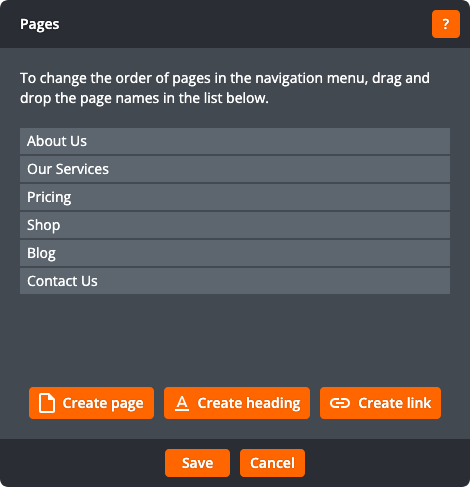
The three buttons under the list of pages let you create three types of menu item:
- Pages
- Headings, which are non-clickable menu items that can be used to group pages in a sub-menu
- Links, which can link to downloadable files on your site (such as PDFs) or to external sites (such as booking systems)
Creating pages
Click Create page to open the page creation window:
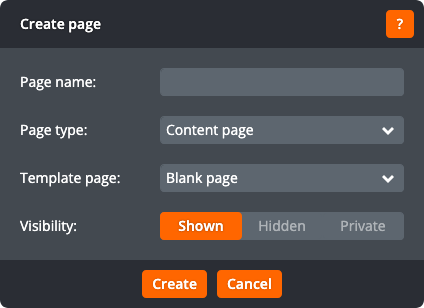
The page creation window lets you change the following settings:
Page name
The name of the new page.
Page type
The type of page — for example, a content page or a blog page. This field is only shown if multiple types of page are available.
Template page
The page whose content should be copied to create this page. Choose Blank page to create a page containing only the shared areas (the header, navigation, and footer).
Visibility
The visibility of the created page. Shown creates a page visible in navigation menus. Hidden creates a hidden page. Private creates a password-protected page accessible only by the site owner account; this option is only available to the site owner account.
Click Create to create the page. Click Cancel to return to the menu window without creating a page. After creating the page click Stay on this page to stay on the current page or Edit new page to start editing the newly created page.
Creating headings
Click Create heading to open the heading creation window:
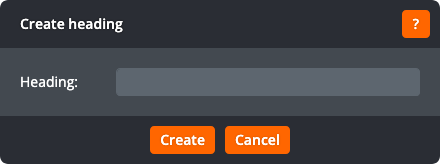
The heading creation window lets you change the following settings:
Heading
The heading text
Click Create to create the heading. Click Cancel to return to the menu window without creating a heading.
Creating links
Click Create link to open the link creation window:
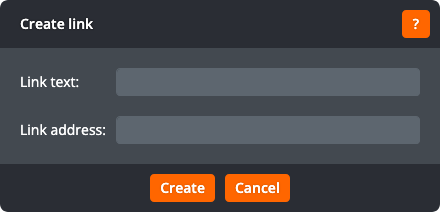
The link creation window lets you change the following settings:
Link text
The link text
Link address
The address for the link. Click to open the hyperlink window.
Click Create to create the link. Click Cancel to return to the menu window without creating a link.
