Applicable Packages
Spark Lightning Lightning +Shop
The show/hide component, whose option icon is shown below, creates text that reveals additional content when clicked.

Using the show/hide component lets you reduce the length of your pages by hiding some content until the visitor chooses to have it revealed.
Editing a show/hide component
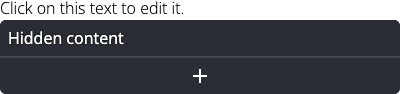
In edit mode the show/hide component shows some text followed by Hidden content bars, as shown below. The text in a show/hide component can be edited in the same way as a text component. The plus sign on the lower bar lets you add options that are initially hidden when a visitor views your page.