
The divider component, whose option icon is shown below, creates a horizontal dividing line.

Dividers can be used to separate content on a page, and are particularly useful for providing additional structure on text-heavy pages.
Editing a divider
Above each divider is a divider bar:

Click on the divider bar to open the divider window:
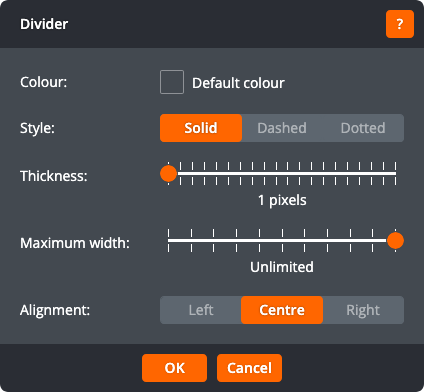
The divider window lets you change the following settings:
Colour
The colour of the divider
Style
The style of divider: a solid line, a dashed line, or a dotted line
Thickness
The thickness of the divider
Maximum width
The maximum width of the divider
Alignment
If the divider has a maximum width, whether it is aligned to the left, centre, or right
Click OK to apply the changes to the divider. Click Cancel to return to the page without changing the divider.
