
Applicable Packages
Spark Lightning Lightning +Shop
The breakpoint component, whose option icon is shown below, lets you show different content at different screen widths.

The columns component automatically rearranges content at narrow screen widths, but the breakpoint component gives you finer control over what happens at each width.
Editing a breakpoint component
Inside each breakpoint component are breakpoint bars listing the breakpoints at which the content is shown, as shown below. The plus sign on the lower bar lets you add options.

Click on the breakpoint bar to open the breakpoint window:
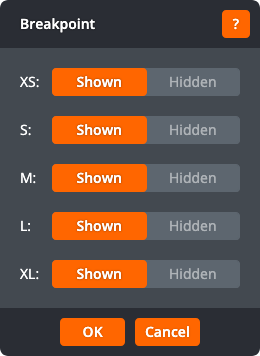
The breakpoint window lets you choose whether the content is shown or hidden at each breakpoint.
Click OK to apply the changes to the breakpoint component. Click Cancel to return to the page without changing the breakpoint component.
