
Applicable Packages
Spark Lightning Lightning +Shop
The spacer component, whose option icon is shown below, lets you force content in neighbouring columns to line up.

Without the spacer component, content of different lengths in neighbouring columns would end at different positions, as shown below, where one colour block is shorter than the other:

By using the spacer component, the shorter colour block expands to the same height as the longer colour block:

Using spacers
In edit mode, spacer components are indicated with spacer bars:
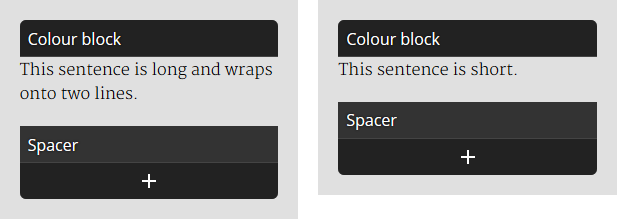
Outside of edit mode the spacers will adjust their heights so that the bases of spacers in neighbouring columns line up. This also means that the tops of any content following the spacers will line up.
