
The blog feed component, whose option icon is shown below, shows the recent posts from your blog.

Editing a blog feed
Click anywhere on a blog feed to display the blog feed window:
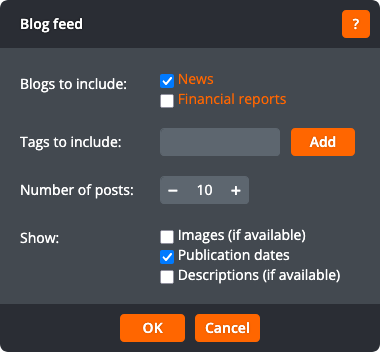
The blog feed window lets you change the following settings:
Blogs to include
The blogs whose posts should be shown. If you only have one blog on your site, this setting is not shown.
Tags to include
The tags whose posts should be shown. If no tags are selected, all posts will be shown.
Number of posts
The number of recent posts to show.
Show
Whether to show post images (if available), publication dates, and descriptions (if available). The post image and description are set using the page details window.
Click OK to apply the changes to the blog feed. Click Cancel to return to the page without changing the blog feed.
