
Applicable Packages
Spark Lightning Lightning +Shop
The button component, whose option icon is shown below, creates a button linking to another page.

Editing a button
Click anywhere on a button to display the button window, as shown below.
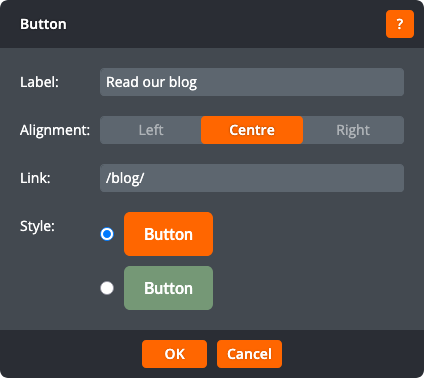
The button window lets you change the following settings:
Label
The text displayed on the button.
Alignment
Whether the button should be left-aligned, right-aligned, or centred.
Link
The address to link the button to. Click to open the link window.
Style
Choose from one of the button styles available on your site.
Click OK to apply the changes to the button. Click Cancel to return to the page without changing the button.
