
Applicable Packages
Spark Lightning Lightning +Shop
The limited width area component, whose option icon is shown below, lets you create an area of content with a limited width and a choice of alignment. For example, you might limit the width of a newsletter sign-up form to 400 pixels so that the fields aren’t too wide, and then centre it on the page.

Editing a limited width area
When editing, the limited width area is shown by a pair of bars:

Clicking the lower bar with the plus sign lets you add options. The upper bar shows the width of the area, and clicking it shows the limited width area window:
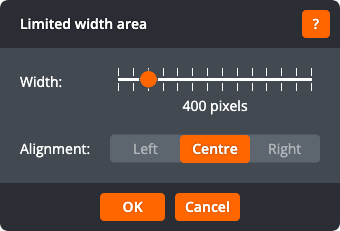
You can drag the slider to set the width, and choose whether to align the area to the left, centre, or right. Click OK to apply the changes to the area. Click Cancel to return to the page without changing the area.
